
Registration & Verification
Binance KYC Stuck on 'Under Review': When to Wait, When to Act
A status that will not move is usually a queue, sometimes a missed document request, and occasionally something worth a support ticket. Here is how to tell which one you have.
"Under review" is not one state
The status bar shows a single label, but several quite different situations sit behind it: an automated check still running, a human queue you are sitting in, an enhanced review that needs more from you, and a case that is genuinely waiting on something specific you have not sent.
They all look identical from the outside. Fortunately, distinguishing between them takes about two minutes.
Step one: check whether you are the blocker
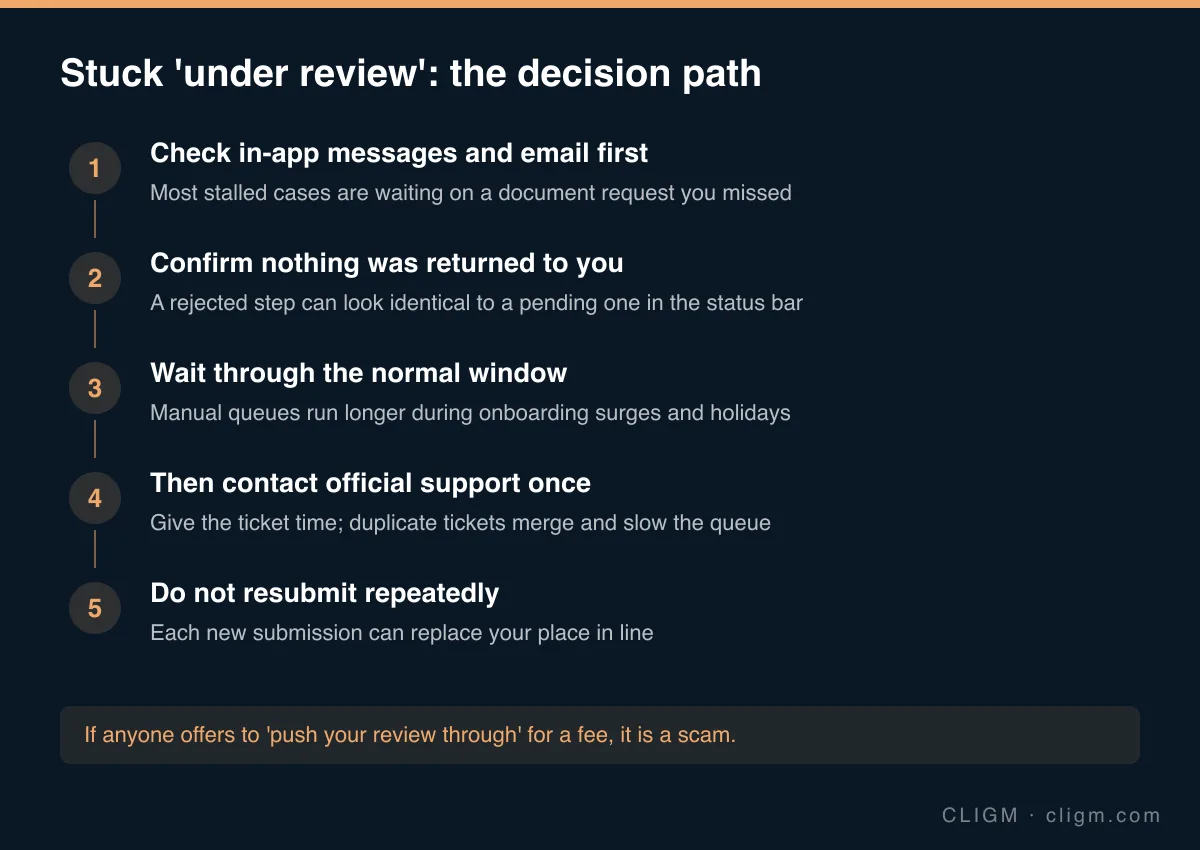
This is the single most valuable check, and the one people skip. A large share of "stuck" cases are not stuck at all — the review is complete and it is waiting on a response from you that you did not see.
Look in three places, in this order:
- The verification page itself. Expand every step. A specific request often appears as a small note under an individual step rather than in the main status banner.
- Your in-app message centre. Requests for an additional document, a clearer image or a second address proof are frequently delivered here and nowhere else.
- The email address on the account. Check spam and promotions folders. If you have changed your email or lost access to it, that alone can silently stall everything.
If you find a request, answer exactly what was asked. Sending a different document than the one requested restarts the loop.
Step two: compare against normal timing
If nothing is waiting on you, the next question is whether the elapsed time is actually abnormal.
Automated checks typically resolve in minutes. Cases routed to a human queue take longer, and that queue lengthens predictably during onboarding surges, around market volatility, and over public holidays. Enhanced review — additional documents, source-of-funds questions, region-specific checks — runs longer again and is a normal outcome rather than a sign of trouble.
We have written up the normal verification timelines separately. Measure against that before concluding something is wrong. A case that is two days old in a manual queue is not stuck; it is queued.
Step three: the thing that makes it worse
Do not resubmit repeatedly.
This is counter-intuitive and it is the mistake that costs people the most time. Each new submission can supersede the one already in the queue, which means your position resets. People who resubmit daily can wait substantially longer than people who submit once and wait — and from the outside, both look like they are doing everything they can.
Resubmit when you have changed something concrete: a better photo, a corrected profile field, the specific document that was requested. Otherwise, leave it alone.
Step four: one good support ticket
Once you have confirmed nothing is waiting on you and the wait is genuinely outside the normal window, contact official support once, through the official app or website.
A useful ticket states when you submitted, what document type you used, what the current status reads, and what you have already checked. Then give it time. Opening duplicate tickets does not parallelise the work — the cases merge, and the merge itself costs a cycle.
Reach support only through the app or the official site. Anyone who contacts you first about a pending verification is running a scam, which is the core pattern behind fake Binance support and phishing.
Nobody can push your review through
There is a persistent market in "expedited verification" — social media accounts, chat groups and sellers offering to accelerate a review for a fee.
None of it is real. Review capacity is not something a third party can buy into. What these operations actually do is collect your documents, your face data and often your credentials, which is a far worse outcome than waiting a few more days. The same applies to anyone offering a pre-verified account: buying one hands you an account tied to another person's identity, which fails at the first security check and cannot be recovered.
If it comes back rejected instead
A rejection is a different problem with much better-defined answers. Start with the document checklist for capture and eligibility issues, and check name and date mismatches if your document is clearly fine.
CLIGM is an independent guide and is not affiliated with Binance. Verification requirements, accepted documents and available products differ by region and change over time — always confirm the current rules inside your own account or in official Binance support material. Last reviewed: August 2026.