
Account Security
Can't Log In to Binance? Codes Not Arriving, App Errors and Recovery Order
Login failures have boring causes more often than scary ones. Work through this checklist in order — from fake-site checks to code delivery to account recovery — before assuming the worst.
A failed login triggers a specific kind of panic — has my account been stolen? — that makes people skip the boring checks and jump straight to drastic measures. In practice, most login failures have mundane causes: a phishing page that was never going to log you in, a code stuck in a spam folder, an authenticator clock that drifted eight seconds. This guide runs the checks in the order that isolates the cause fastest, and flags the point where it is time to assume compromise.
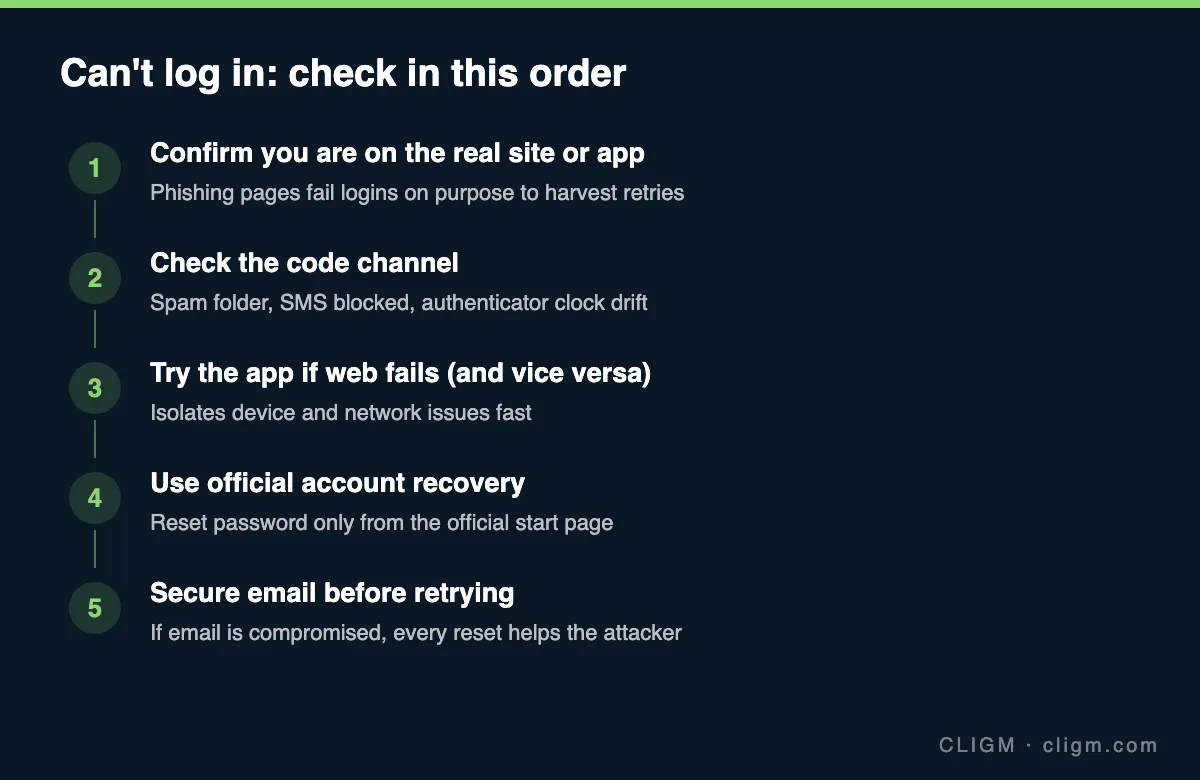
Step 1: make sure you are on the real Binance
This is genuinely the first check, not paranoia. Phishing pages imitate the login screen, accept your password, and then fail with a fake error — the failure is the harvest, encouraging you to retype credentials or try other passwords. If you arrived via a search ad, a link in a message, or a bookmark you did not create, stop. Type the official address yourself or use the official app from your device's app store. If you realize you did type your password into a suspicious page, skip to Step 5 immediately — your priority just changed from logging in to locking down. Our phishing field guide shows the tells in detail.
Step 2: fix code delivery
"Verification code not received" is the largest single cause of login failure. Work by channel:
- Email codes: check spam and promotions folders; search for the sender rather than scrolling. Corporate and school mailboxes sometimes silently quarantine exchange emails. If the mailbox itself is full or having issues, no code will arrive — send yourself a test email to verify the mailbox works at all.
- SMS codes: blocked-sender lists, spam-filtering apps, roaming issues, and carrier-level blocking of short codes all eat SMS. If you are traveling, SMS delivery to a roaming number is unreliable — one of several reasons authenticator apps beat SMS.
- Authenticator codes rejected: the classic cause is clock drift. Authenticator codes are time-based; if your phone's clock is off by more than a few seconds, every code fails. Enable automatic network time in your phone settings, or use the time-sync option inside the authenticator app, then try again.
- Push confirmations: ensure the Binance app has notification permission and a working connection; a push that cannot arrive looks identical to a rejected login.
Step 3: isolate app vs web vs network
If credentials and codes seem fine but login still fails with errors or infinite spinners, split the problem: try the app if the website fails, and the website if the app fails. If one works, the account is fine and the problem is local — clear the failing side's cache, update the app, or try another browser. Also try switching networks (Wi-Fi to mobile data): some public and corporate networks block exchange domains, and some regional ISPs interfere in ways that look like account problems. An app that fails everywhere after an OS update usually needs an update itself — check the store before assuming anything about your account.
Step 4: use official account recovery
Password forgotten, or genuinely not working across app and web? Use the reset flow — but only launched from the official site or app, never from an email link (real reset emails exist, but the habit of typing the address yourself is the habit that saves you). Expect identity checks proportional to what you are recovering: email confirmation for simple resets, 2FA for standard ones, face verification for higher-risk cases. If your 2FA device is also gone, that is its own flow with its own timeline — walked through in how to reset lost 2FA. Note that recovery actions commonly trigger a temporary withdrawal cooldown afterwards; that is protective, not punitive.
Step 5: when to assume compromise
Switch from "troubleshooting" to "incident response" if any of these is true: you receive password-change or new-device emails you did not cause; your password is rejected and the reset email never arrives (attacker may have changed the account email); you typed credentials into a page you now distrust; or your email account shows signs of intrusion. In that case, in order:
- Retake your email first — change its password, revoke unknown sessions, check forwarding rules and recovery addresses for attacker plants. Every other recovery flows through email; recovering Binance before email just hands it back.
- Then run Binance recovery from a clean, trusted device.
- Once inside, audit everything: devices, API keys, whitelisted addresses, open orders, and recent withdrawals. Remove what you do not recognize.
- Rebuild security properly — authenticator or passkey, anti-phishing code, fresh backup codes stored offline. The complete sequence is the 15-minute security checklist.
If money already moved, contact official support with timestamps and TXIDs, and file a police report — some outcomes depend on formal reports existing early.
If the account shows a restriction notice instead
Sometimes login "fails" because the account is restricted, not broken — the screen or email will reference unusual activity, compliance review, or terms issues rather than wrong credentials. That is a different problem with different fixes, covered in account locked or suspended. The distinction matters: restrictions are resolved by appeal and verification, not by more password attempts, and hammering logins on a restricted account only adds noise to its risk record.
CLIGM is an independent site and is not affiliated with Binance. Login flows, recovery requirements and cooldowns vary by account and region and change over time — instructions inside the official app are authoritative. Last reviewed: July 27, 2026.