
Registration & Verification
How to Create a Binance Account Safely: A Beginner Checklist
A security-first Binance registration checklist covering regional eligibility, email protection, identity verification and the first settings to enable.
Creating a Binance account takes about ten minutes. Creating one safely — in a way that does not leave you exposed to phishing, account takeover or a frozen balance three months later — takes only slightly longer, but the steps have to happen in the right order. This guide walks through that order and explains why each step exists, so you can adapt it if your situation is unusual.
Most account problems we see trace back to one of three shortcuts made on day one: registering through an unverified link, reusing an old password, or funding the account before securing it. All three are avoidable.
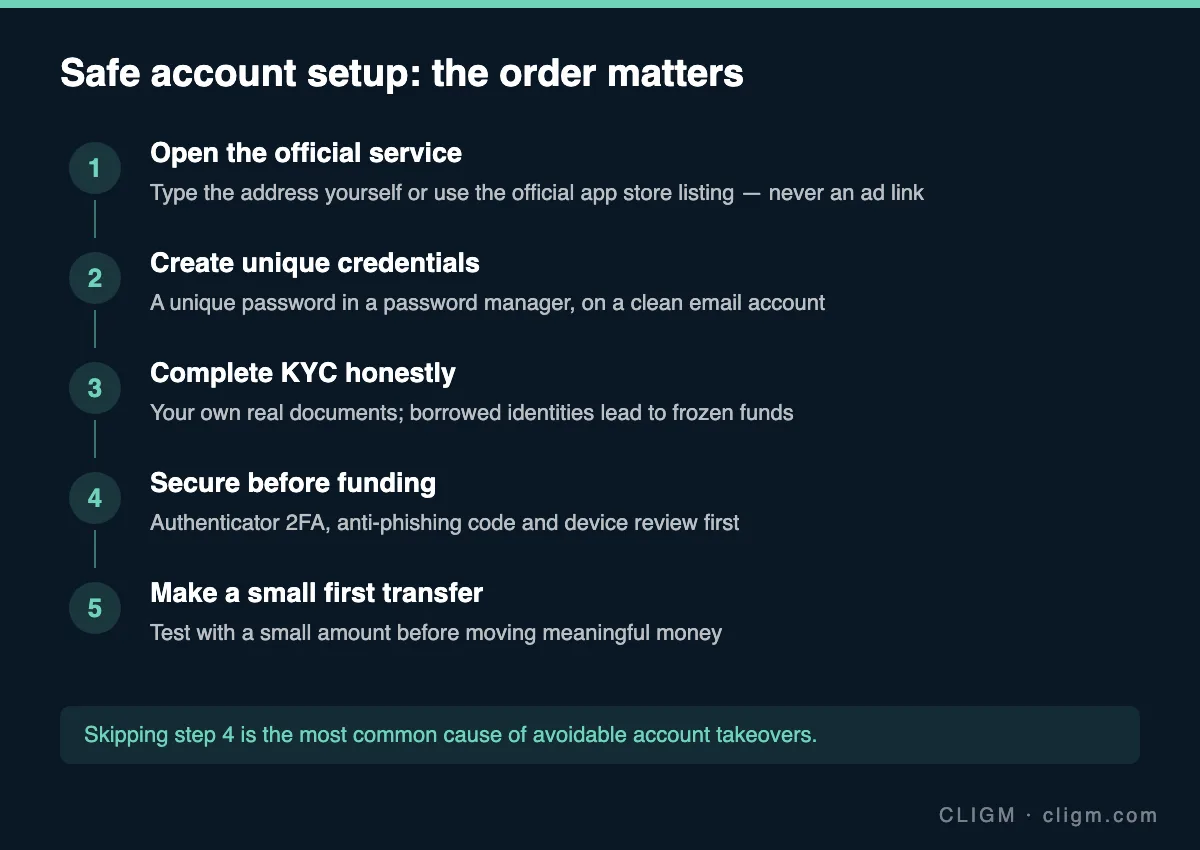
Step 1: open the official service
Type the exchange address directly into your browser, or install the app from the official listing in your platform's app store. Do not follow links from search ads, social media posts, chat messages or emails — even ones that look official. Fake exchange pages are one of the most common entry points for credential theft, and they are often promoted aggressively exactly where beginners look first.
Before entering any information, check the domain spelling character by character and confirm the connection is HTTPS. If a link was sent to you by another person, assume it may be a referral or phishing link and navigate independently instead.
If you were introduced through a referral or affiliate code, understand what it does before using it: it may tie your account to another user's commission structure. That is not inherently harmful, but it should be your informed choice, not something smuggled into a link.
Step 2: create unique credentials
Use an email address that you control long-term and that is itself protected with a strong password and two-factor authentication. The mailbox that receives your Binance verification codes is effectively a master key to the account — if the mailbox falls, the exchange account usually falls with it.
Generate a password that you have never used anywhere else and store it in a password manager. Password reuse is the single most exploited weakness in account takeovers: attackers take leaked credential lists from unrelated websites and replay them against exchanges automatically. A unique password makes that entire attack class irrelevant to you.
Avoid registering with a work email or a school email you may lose access to. Account recovery without access to the original mailbox is slow and sometimes impossible.
Step 3: complete identity verification honestly
Binance requires identity verification (KYC) before meaningful use. Use your own genuine documents, your real name and your real date of birth, exactly as they appear on the document. Small mismatches — a missing middle name, a transliteration difference, an expired document — are the most common causes of failed verification. If your first attempt fails, our guide on why Binance verification fails covers the usual causes and fixes.
Never verify an account with borrowed, rented or purchased identity documents, and never let someone else verify "for you." Accounts detected using another person's identity are routinely restricted, and any balance can be locked pending an investigation you will struggle to complete. If Binance is not available in your region, using a VPN plus someone else's documents does not create a usable account — it creates a time bomb.
During verification, photograph documents in good light with all four corners visible, and complete the liveness check yourself, slowly, following the prompts.
Step 4: secure the account before funding it
This is the step most people skip, and it is the one that matters most. Before you deposit anything:
- Switch two-factor authentication from SMS to an authenticator app or passkey. SIM-swap attacks make SMS the weakest 2FA option.
- Set an anti-phishing code. This personal phrase appears in genuine Binance emails, letting you spot forgeries instantly.
- Review the device list and remove anything you do not recognize.
- Record your backup codes offline — on paper, not in a screenshot in your gallery.
The full sequence, with timings, is in our 15-minute Binance security checklist. Doing it before the first deposit means there is never a window where the account holds money but lacks protection.
Step 5: make a small first transfer
Whatever you plan to do with the account, start with a small test amount — enough to cover minimums and fees, small enough that losing it would not hurt. Send it, watch it arrive, and practice one withdrawal back out. This verifies three things at once: that your deposit details are right, that your 2FA works under real conditions, and that you understand the timing of transfers before larger sums are involved.
If you are depositing crypto rather than fiat, pay close attention to the network selection — sending on the wrong network is the classic first-deposit mistake. Our guide to choosing between BEP20, ERC20 and TRC20 explains the checks to make before confirming any transfer.
Stop if any of these happen
Treat the following as signals to pause and investigate, not to push through:
- A "support agent" contacts you first, by phone, WhatsApp or Telegram. Real exchange support does not cold-call.
- Anyone asks you to install remote-access software (AnyDesk, TeamViewer) to "help" with your account.
- A website that looks like Binance asks you to re-enter credentials after you already logged in, or shows a domain you do not recognize.
- Someone offers to "verify your account for you" or asks you to open an account for their use. This is how money mules are recruited, and it can create criminal liability for you.
- You are pressured to act quickly — urgency is the constant across nearly every scam script.
When in doubt, log out, navigate to the official site independently, and check your account state there. Nothing legitimate is ever lost by taking ten minutes to verify.
After setup: a monthly habit
Once the account is running, a short monthly review keeps it healthy: check active devices, confirm your email and phone are still correct, re-check that your backup codes are where you left them, and glance at the official announcements page for changes affecting your region. Five minutes a month is cheap insurance.
CLIGM is an independent publication and is not affiliated with Binance. We do not handle accounts or funds and cannot intervene in support cases. Availability of specific features varies by region — always confirm in the app what applies to your account. Last reviewed: July 27, 2026.